Election Security for Small Organizations: What Actually Matters?
Dieser Artikel ist nur auf Englisch verfügbar.
When a board debates moving its election online, someone always raises security. The word they use is "hackers." The picture in their head is a stranger breaking into a server to flip the treasurer's race.
That isn't where small elections fail. The disputes that actually happen look like this: a member voted twice because the survey link was open to anyone. Two owners share one inbox and nobody knows which of them voted. The losing candidate asked how the count was verified and the answer was "trust us."
Security, for an organization of 40 or 4,000 members, means defending against the problems you will actually have. Here they are, in rough order of how often they bite.
1. Ballots that aren't tied to eligibility
The most common failure isn't an intrusion. It's a ballot anyone can cast. A public form link or a poll in a group chat lets a non-member vote and a member vote twice, and leaves no way to tell afterward.
The fix is structural: every ballot is issued to a specific person on a specific list. Build the roster first, from your own membership records, and have the system give each voter their own single-use credential. One person, one link, one ballot. Once used, the link is spent, and a forwarded link does nothing. That eliminates the whole category of "who voted, and how many times."
2. The roster itself
The second failure is upstream of the ballot: duplicate emails, a shared family address, members who moved, members behind on dues who shouldn't vote this year. Each is a dispute waiting for a close race.
Treat the voter list as a document the election depends on. Pull it as of a dated eligibility cutoff. Resolve shared addresses first, because a household with two members needs two addresses or one person quietly gets two votes, or none. Use tooling that flags duplicates and bad addresses on import, not after invitations go out. Then keep the list: when eligibility is challenged six months later, the roster is your answer.
3. Whether the ballot is actually secret
Most small organizations run "anonymous" elections that are nothing of the sort. The survey tool collected an email to prevent duplicates, so the response row has an email on it. The anonymous setting hides the column. It doesn't remove it.
A secret ballot is about what the system could reveal, not what the administrator promises not to look at. Ask whether a stored ballot carries any voter identifier, even an internal ID. Ask whether anyone with full database access could connect a vote to a voter. Ask how precise the timestamps are: in a 30-person election, a ballot cast at 9:14 PM is identifiable if the roster says who voted at 9:14 PM. Vague answers mean a confidential election, not a secret one.
4. The administrator
Here's the uncomfortable part to put in a board memo. The most capable attacker in a small election isn't outside the organization. It's whoever runs it, because they hold the list, the links, and the results.
That's not an accusation. It's a reason to pick systems that don't require trusting that person. An administrator who can see partial results can react to them. One who can copy a voter's link can vote as that voter. One who can open raw responses can see how a member voted. Good design removes those capabilities from the role, so the administrator doesn't have to be trusted and, just as important, can't be accused.
5. Email
Online elections run on email, and that's where the operational problems live. An address bounces and nobody notices until the member complains. Someone says they never got a ballot and there's no record either way. The answer is delivery tracked per voter — invited, bounced, reminded, voted — with a bounce fixable for that one voter, and a reissued link that kills the earlier one.
6. Proof after the fact
The last failure turns a routine election into a governance fight. Results are announced, and a member asks how anyone knows the count is right. With paper, the ballots are in a box someone took home. With a survey tool, the evidence is an export on a laptop.
The standard: a participation record you can produce, results published at a stable link, and a way for each voter to confirm their ballot was included without revealing how they voted. Receipt codes do this well. The voter is shown a code when they cast; the full list is published with the results; anyone can check that theirs is on it. That's a stronger answer than "trust us," and one a board can give in a two-line email.
What to stop worrying about
You don't need hardware tokens, identity verification, or a blockchain. You don't need voters to create accounts: a password proves someone remembers a password, which isn't what an election needs to know. Spend that energy on the roster and the record.
A checklist for the board
Save this for the meeting where the question comes up.
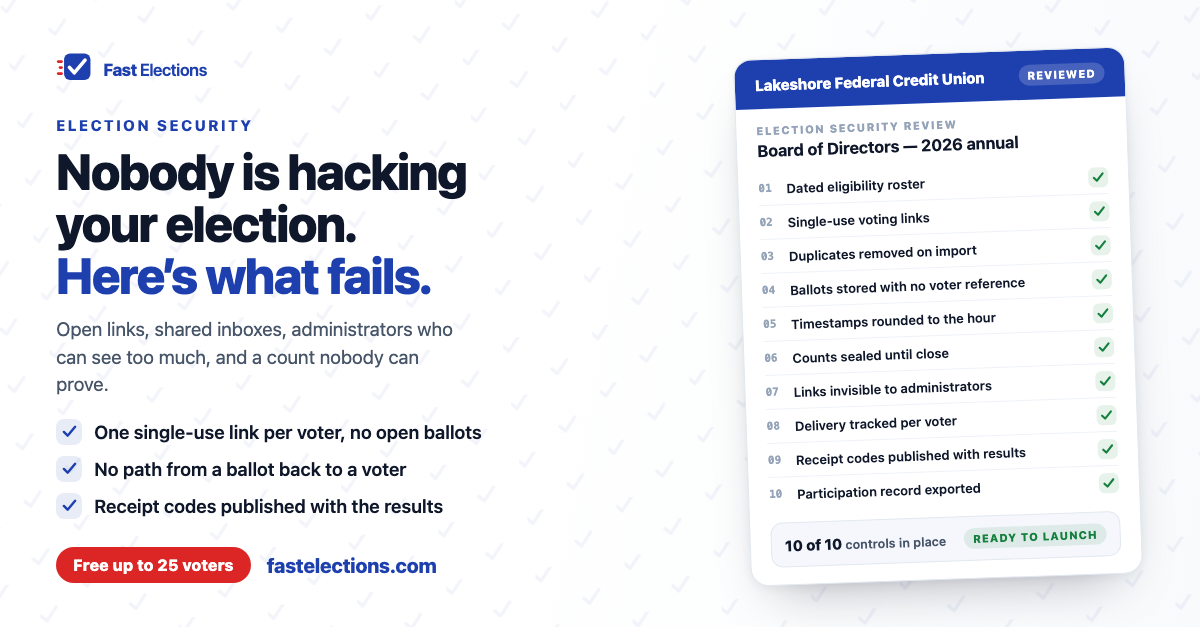
- Every ballot is issued to a named voter on a dated eligibility list. No open links.
- Each voter gets a single-use credential that stops working once a ballot is cast or a replacement is issued.
- The roster is cleaned on import — duplicates and bad addresses caught before invitations go out.
- Stored ballots carry no voter identifier, and timestamps are too coarse to match against the roster.
- No one, including the administrator, sees partial results while voting is open.
- Administrators can't see or copy voters' links.
- Delivery is tracked per voter — bounces visible and fixable one at a time.
- Voters get a receipt code, and the full list is published with the results.
- The participation record is exportable and kept with the minutes.
- Your bylaws permit electronic voting for this vote. That's a question for your governing documents and, where it matters, your counsel — not for the software.
How Fast Elections approaches this
Fast Elections was designed around that list rather than around a login screen. Each voter gets a unique one-time link; we store only a hash of it, and once a ballot is cast the link is spent. Rosters are checked line by line on import, with duplicates removed and bad rows called out before anything is sent.
Cast ballots carry no reference to the voter — no name, no email, no account — and no admin screen, query, or export anywhere in the product connects a person to their choices. Timestamps are rounded to the hour. While voting is open, organizers see turnout, never the tally. On paid tiers, links are only ever emailed and administrators can't see or copy them. Every voter gets a receipt code when they cast, the full list is published with results, and the participation roster exports as a CSV for the minutes.
Two honest notes. The free tier sends no email, so the administrator delivers each voter's link personally — the ballot is just as secret, but checklist item six doesn't hold, so use a paid tier when it matters. And none of this replaces your bylaws or inspector of elections; it gives them a record to work from.
If your organization has a vote coming up, you can build it in Fast Elections for free — up to 25 voters, no credit card — send yourself a test ballot, and see exactly what your voters will experience before paying anything: fastelections.com