The Election Administrator's Checklist: 10 Things to Do Before Voting Opens
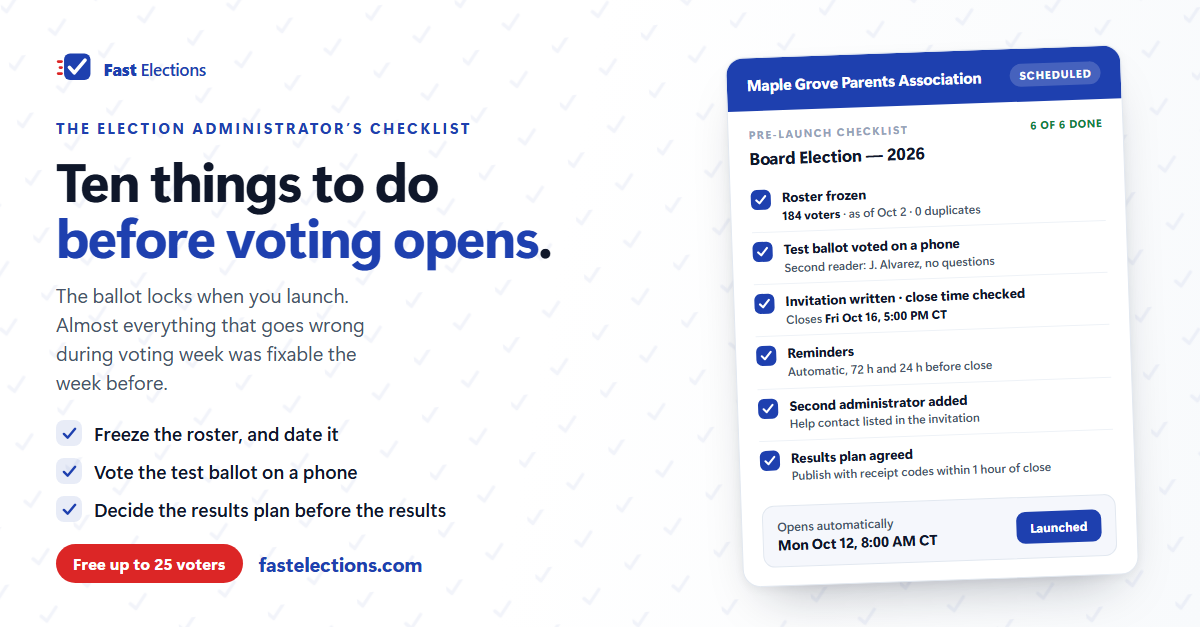
The week before an election opens is the strangest part of running one. The candidates are set, the motion is worded, the member list exists somewhere, and it's tempting to hit send. It is also the last moment anything is cheap to fix. Once invitations go out, a misspelled candidate name, a close time nobody can find, or a roster that's forty addresses short becomes a problem you manage in public.
Here is the run-through, in the order it's worth doing. It applies whether you vote on paper, in a form, or in purpose-built software.
1. Freeze the roster, and write down the date you froze it
Pull the final list of eligible voters from your source of truth — the membership database, the ownership schedule, the dues ledger — and stop editing it. Save a copy with the date in the filename. Compare the count to what you expected, and look at every duplicate: two spellings of one address usually means one person entered twice, but sometimes it means two members sharing an inbox, which is a question for your bylaws rather than your spreadsheet.
The as-of date matters. When someone who joined three days before voting asks why they didn't get a ballot, "eligibility closed on the 2nd, per the bylaws" is an answer. "We pulled the list at some point" is not.
2. Tell members the election is coming before the ballot arrives
An invitation that lands with no warning gets treated like spam, because it looks like spam: an unfamiliar sender, a link, a request to act. Use the channel members already trust — the newsletter, the meeting, the parent group chat — to say when voting opens, what sender and subject line to look for, that there's no account to create, and what to do if nothing arrives. One paragraph, a few days ahead, prevents most of the "I never got it" messages on day one.
3. Have someone who didn't write the ballot proofread it
The author of a ballot cannot see their own typos. Hand it to a second person with three instructions: check every candidate's name against how that candidate spells it; check that each motion's text matches, word for word, what the board approved; and check that the question type matches the decision — a three-seat race that asks voters to "choose one" is the classic mistake.
Decide the option order deliberately, too: whatever your bylaws specify, or a written rule if they're silent.
4. Vote the test ballot yourself, on a phone
Not "look at it." Vote it, start to finish, on a phone, because that's where most members will open it. Then send the test to one other person with no explanation. If they have to ask what a question means, so will your members, and it's far cheaper to find out now.
5. Write the invitation in your own words
Default invitation text is generic by design. Yours shouldn't be. The subject line should name your organization and the election. The message should say what's being decided, when voting closes (with the timezone), roughly how long it takes, and who to contact if something doesn't work. Reminders usually reuse this message, so write it to survive being read twice.
6. Check the clock three times
Start time, end time, timezone. Write the closing moment out in full — "Friday, October 16 at 5:00 PM Central" — and use that exact string in the invitation, the announcement, and the minutes. Give it at least a week, and check the window against holidays and your own meeting date. Few things produce more post-election argument than a close time that meant different things to different people.
7. Plan the reminders and the turnout check-ins now
Decide, before voting opens, when reminders go out and who looks at participation mid-election. Automatic reminders handle the routine nudges. The human job is the check-in with three or four days left: are we on track for quorum, and what will we do if we aren't? Put it on a calendar. Decide now how bounced invitations get handled — typically, fix the address and resend to that one person the same day.
8. Name a backup administrator and a help contact
If the election lives entirely in one person's account, a sick day or a dead laptop becomes an election problem. Add a second administrator who can see the roster, resend a link, and close the election if needed. Separately, decide who answers "my link doesn't work" during voting week, and put that contact in the invitation.
9. Decide how results will be announced before you know what they are
Who publishes results, where, and when — within an hour of close, or at the next meeting? Can members verify their own ballot was counted? What happens in a tie? Settle these in writing before voting opens, so nothing about the announcement can look like it depended on the outcome. A results plan written after a close vote will be read as a reaction, however fair it is.
10. Know what launching locks
In most election systems, launching is the point of no return for the ballot: questions, options and schedule freeze so every voter sees the same thing. Rosters often stay editable so you can add a late member or fix an address. Know which is which in your tool before you click, and if you're scheduling a future start, confirm afterward that the system shows it as scheduled.
On the morning voting opens
Watch three numbers in the first hour: invitations sent, invitations bounced, and ballots cast. The first should match your roster. The second is your to-do list for the day. The third tells you whether step 2 worked.
Where Fast Elections fits
Most of this list is judgment and communication, and no software does it for you. The mechanical parts are what the tool should carry, and Fast Elections is built around these steps. Pasted rosters are checked line by line, with duplicates flagged and the saved count shown. Email me a test ballot sends you the real invitation and a ballot that can never be cast. You write the invitation's subject and message, and reminders reuse them with a "Reminder" prefix. A scheduled election shows a banner with the exact start time and timezone, and a cancel button until that moment; the roster stays editable while it waits. Reminders go out automatically 24 hours before close — and 72 hours before, on longer elections — skipping anyone who has voted, bounced or unsubscribed, with Fix & resend for the bounces. An organization can have up to ten administrators. Results stay sealed from everyone, including you, until close; then you can publish them to a public link alongside every voter's receipt code, and email that link to the whole roster in one step.
One note on the free tier: it sends no email at all. Every voter still gets a single-use voting link — you deliver those yourself. Invitations, automatic reminders, bounce handling and the results email start at $5.
If you have an election coming up, you can build it in Fast Elections for free and see exactly what your voters will experience before paying anything — elections up to 25 voters are free, with no credit card: fastelections.com