How to Increase Voter Turnout in Your Organization's Next Election
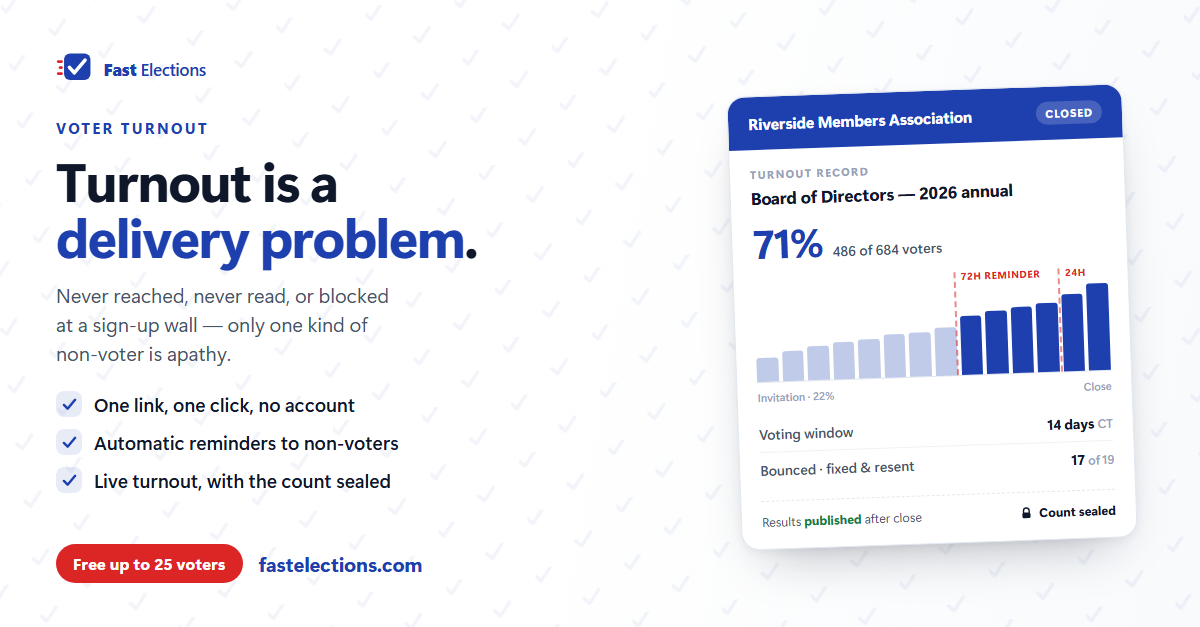
Every organization that runs a bad-turnout election reaches the same conclusion afterward: members don't care. It's a comfortable explanation, because nothing follows from it — if people are apathetic, there's nothing the administrator could have done.
It's also usually wrong. Take a low-turnout election apart and the non-voters break into four groups, only one of which is apathy:
- Never reached. The invitation went to a dead address, landed in spam, or went to a shared family inbox nobody checks.
- Reached, but not read. It arrived among forty other emails, with a subject line that looked like a newsletter.
- Read, but deferred. They meant to vote. They were on a phone, and it looked like it would take a few minutes and maybe an account. They'd do it later. Later never came.
- Tried, but blocked. They clicked, hit a sign-up wall or a ballot they couldn't read comfortably, and gave up.
Each of those is a mechanical failure with a mechanical fix. Here's the order I'd work in.
1. Fix the roster first — it's the quietest turnout killer
A bad email address doesn't announce itself. It fails silently, and the member who never got the ballot is indistinguishable in your final numbers from the member who ignored it.
So audit the list before anything else. Pull it from the system of record, not last year's election file, and deduplicate it — two members sharing a household address, someone listed under both a work and a personal email, the member who changed names. Decide the eligibility rule in advance too, and apply it to the whole list at once rather than adjudicating individuals later.
Then watch the bounces while voting is open. A bounced invitation is a member you can recover: fix the address, reissue the link, and they vote. Discovered after the close, it's just a number you can't explain.
2. Remove every step that isn't voting
The largest avoidable drop-off is account creation. Register, choose a password, confirm an email, then vote: four tasks to accomplish one. A meaningful share quit somewhere in the middle — and they're not the people who didn't care. They're the people who cared enough to start.
The right shape is one link, one click, one ballot. If your platform demands more, that demand is costing you turnout — and you should know what you get in exchange.
3. Assume the ballot will be read on a phone
Most people open organizational email on a phone, and most will vote in the two minutes they open it or not at all. Before you launch, send yourself the real invitation and work through it on your own phone — not a desktop preview. Is the ballot legible? Does a ranked-choice question work with a thumb? And count the questions while you're in there — every one that won't change a decision is turnout you're spending on curiosity.
4. Pick a window people can actually act inside
Short windows lose the people who were traveling. Long ones lose the urgency — a three-week deadline isn't a deadline, it's a suggestion. Seven to fourteen days suits most organizations.
Build it around your members' lives rather than the board's calendar, clear of major holidays and school breaks. State the closing date, time, and timezone in the invitation and in every reminder — then don't move it. Extensions teach members that your deadlines are soft, which costs you turnout in every election afterward.
5. Expect the reminders to do most of the work
This is the part organizations most consistently underestimate. In most elections the invitation produces a first-day spike, a long flat middle, and then a second spike right before the close, as large as the first or larger. That spike doesn't happen on its own. Somebody reminded the people who hadn't voted.
Two reminders suit a typical window: one a few days out, one in the final 24 hours. Send them only to non-voters — nothing corrodes goodwill faster than nagging someone who already did what you asked — and mark the subject line clearly as a reminder so it doesn't read as a duplicate.
6. Watch participation, not the count
You should be able to see how many people have voted while the election is running. You should not be able to see who's winning, and neither should anyone else. A visible tally changes behavior — it demoralizes one side, makes the other complacent, and turns every close result into an argument about who knew what and when.
Turnout is the useful signal anyway: it tells you whether you're on pace. Sealed counts cost you nothing you need.
7. Meet the members who aren't in your inbox
Email is the backbone, not the whole system. Announce the vote where your members already are — the meeting before it opens, the newsletter, the group chat, the notice board. And if part of your membership reads more comfortably in another language, a ballot in that language isn't a courtesy; it's a turnout intervention.
When it's over, publish the result to everyone, including the people who didn't vote. An organization that reliably reports outcomes gets better participation next time; one that goes quiet teaches members that voting didn't matter.
The turnout checklist
Worth handing to whoever runs this next year:
- Roster pulled fresh from the system of record, deduplicated, eligibility rule applied.
- Test ballot completed end-to-end on a phone.
- Question count reviewed; anything that won't change a decision removed.
- Window of 7–14 days, clear of holidays, with the close time and timezone stated.
- Invitation subject line that says what's being decided and when it closes.
- Reminders planned for non-voters only — one a few days out, one in the final day.
- Bounces corrected during the election, not after.
- Turnout visible to administrators; the count sealed until close.
- Announcements in at least one channel besides email.
- Results published and sent to the full membership.
Where Fast Elections fits
Most of that list is process and works on any platform. Three items are product decisions we made deliberately.
Voters never create an account: each person gets a unique link that casts one ballot and stops working afterward — no password, no sign-up, nothing to recover. Reminders are automatic rather than something to remember: every election with an end time reminds non-voters 24 hours before the close, and longer elections get a second reminder at 72 hours, skipping anyone who has already voted, bounced, or unsubscribed. And turnout is live while the tally stays sealed — you can see you're at 41% with three days left; nobody who would act on knowing the score sees anything.
The supporting pieces are there too: a test ballot you can send yourself before launch, bounced addresses flagged with a fix-and-resend, ballots and emails in ten languages, and a published results page anyone can open without signing in.
If you have an election coming up, you can build it in Fast Elections for free and see exactly what your voters will experience before paying anything — elections up to 25 voters are free, with no credit card.