How Online Voting Works for HOA Board Elections
Este artículo solo está disponible en inglés.
Someone on the board suggests running this year's election online. Nobody objects to the idea. Then the questions start. How do we know the person voting is actually the owner? What about the owner with three units? What about the couple on Maple Court who share a unit but don't agree on anything? What about Mr. Alvarez, who has never opened an email in his life? And — always asked last, and most quietly — can the board see how people voted?
These are the right questions, and most of them have nothing to do with software. Here is how an online HOA election actually works, start to finish, followed by the decisions your board needs to make before you pick a tool.
Step 1: The owner roster becomes the electorate
An online election starts with a list: every owner of record who is entitled to vote, with an email address for each. That list is the electorate. Nobody who isn't on it can vote, and everyone on it gets exactly one ballot.
This is where most of the real work lives. Pull the list from your ownership records, not from last year's newsletter mailing list. Check it against units — every unit should be represented the way your governing documents say it should be, no more and no less. Remove owners who aren't eligible under your documents, if your documents exclude anyone.
Step 2: Each owner gets a unique, single-use voting link
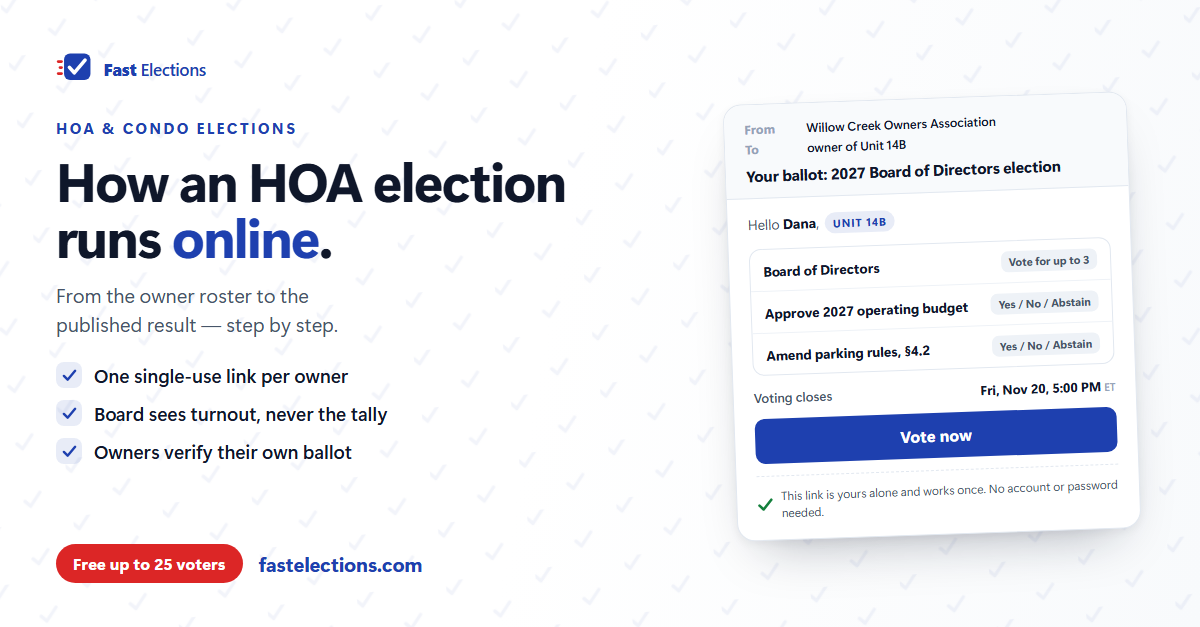
Instead of a mailed envelope, each owner receives an email with a voting link that belongs to them alone. There is no account to create and no password to forget. Open the link, mark the ballot, submit. Once that link has been used to cast a ballot, it stops working — so nobody votes twice, and a forwarded link is useless after the first vote.
Identity works the same way it does with mail: the ballot goes to the address on file for that owner. That's why Step 1 matters so much. A clean roster with correct addresses is what makes the whole thing trustworthy.
Step 3: The ballot mirrors what you'd print
A typical HOA ballot has two kinds of questions. Board seats: "Vote for up to three," where the top three vote-getters win. And motions: approve the budget, adopt the amendment, ratify the reserve study — yes, no, or abstain. Good election software handles both on the same ballot. Decide the candidate order the way your bylaws say to — or by a written rule if they're silent — so nobody argues about placement.
Step 4: A voting window with a hard close
You set an opening time, a closing time, and the timezone that governs them. Invitations go out when voting opens. Reminders go to owners who haven't voted yet as the deadline approaches. At the closing time, voting stops — not "after the last person in line," not "once the meeting wraps up," but at the time you announced.
Step 5: During voting, the board sees turnout, not results
While the election runs, the board can see who has voted and who hasn't. It cannot see how the vote is going. That combination is deliberate: you need turnout to know whether you're on track for quorum and who to remind, but nobody — including the board — should be able to react to a partial count.
In a well-built system, the board can't see individual votes after the election either. A cast ballot shouldn't carry any link back to the owner who cast it.
Step 6: Close, count, publish, verify
When voting closes, the count happens automatically: no tally sheet, no volunteers at the clubhouse at 9pm. The board can publish results to a link owners can open. Better systems also give each voter a receipt code when they vote, and publish the list of codes with the results, so any owner can confirm their own ballot was counted without revealing how they voted.
Decisions your board makes first
Software can run every step above. It can't make these calls for you, and they're the ones that cause disputes if nobody makes them on purpose.
- Confirm you're allowed to. Check your governing documents and your state's association law, and ask counsel or your manager whether electronic voting is permitted for this vote and whether owners must consent to electronic notice or balloting first. Rules vary by state and by document.
- Decide what a vote is. One vote per unit, one per owner, or weighted by percentage interest or square footage? If an owner holds three units and your documents give one vote per unit, that owner should carry three votes.
- Pick one voter per co-owned unit. If a unit gets one vote, decide in advance who receives the ballot when there are multiple owners — and put that rule in writing.
- Plan for owners who won't vote online. Some will need paper. Collect those requests before voting opens and leave those owners off the online roster, so no one can cast both. Count the paper ballots with the same care, and add the two totals together.
- Decide how proxies and the meeting fit in. If your documents allow proxies or in-person voting, write down how they combine with the online vote before anyone asks.
- Agree on how results will be announced. Who publishes them, where, and how quickly after close — settled before anyone knows the outcome.
Where Fast Elections fits
Fast Elections handles the mechanics described above. You paste or import your owner roster; duplicate emails are caught automatically, and each owner gets a unique, single-use voting link with no account required. Ballots can mix multi-seat board races, yes/no/abstain motions, approval and ranked-choice questions. For associations that vote by units or interest, weighted voting takes a weight column from your ownership spreadsheet, and results show both owner turnout and total weight cast.
You set the open and close times and timezone, and the election opens and closes itself. On paid tiers, invitations and automatic reminders are emailed for you. During voting you see live turnout, never a running tally. Ballots carry no link to the voter — the board can't see how anyone voted, and neither can we. At close, you can publish results to a public link alongside every voter's receipt code.
What it doesn't do: proxies, in-person ballots, and your quorum rules stay with the board.
Pricing is per election, by roster size, with no subscription — a 300-unit association's election is $19. If your next annual meeting is on the calendar, build the election in Fast Elections for free and see exactly what your owners will experience before paying anything. Elections up to 25 voters are free, with no credit card: fastelections.com